
Why the AI video bottleneck moved from the model to the queue
The AI video render queue has quietly become the constraint that decides whether a campaign ships on time. As 2026 text-to-video models cut generation time per clip, the real bottleneck for teams producing video at scale is no longer model quality — it is GPU throughput and the render queue behind every variant.
Most teams first notice the {{link}} from the shoot to the iteration loop only after they hit a stalled queue. When a single social campaign can require 100 to 300 separate render jobs, the fragile part of the pipeline is no longer the idea or the prompt — it is the compute that turns prompts into pixels.
For the first three years of generative video, the limiting factor was obvious: the models themselves. Early text-to-video outputs were short, incoherent, and unusable for client work. That constraint has largely lifted. The 2026 model map — Wan 2.7, Seedance 2.5, MiniMax H3, Veo 3.1 — generates longer, more stable clips in minutes, and reference-locking has cut the regeneration loop dramatically.
The irony is that faster models make the queue problem worse, not better. When a clip that once took a week of shooting now renders in minutes, the natural response is to request more variants, more localized cuts, and more A/B tests. Demand for renders scales with how cheap and fast each render feels — so the compute layer becomes the new ceiling on output.
Most teams first notice the production bottleneck has shifted from the shoot to the iteration loop only after they hit a stalled queue.
The math of variant volume: render jobs add up fast
Variant testing is what makes AI video commercially useful, and it is also what breaks naive pipelines. A product-launch teaser typically needs 5 to 10 variants; a social campaign 10 to 25; a 30-to-60-second brand story 2 to 5. Each variant is a fresh render, and each rejected cut triggers re-renders.
The render-job counts compound fast. Published production data shows a social campaign can spawn 100 to 300 render jobs per launch, consuming an estimated 15 to 50 GPU-hours, while a brand-story short can run 80 to 250 jobs and 25 to 80 GPU-hours. A 15-second 1080p clip alone can take anywhere from 30 seconds to several minutes per render depending on the model and the GPU behind it.
One team queued 500 variations of a single winning ad simultaneously — background colors and text overlays across a grid — because manual management of that volume is impossible. Another generated 50 unique video concepts in 48 hours for a trend response, then reserved its most expensive models for the top 5 percent of performers. The creative ambition is real; the render debt is the part nobody budgets for.
Multiply that across a weekly content calendar and the numbers stop being abstract. A brand running three social campaigns a month at 200 jobs each is already at 600 render jobs — before re-renders, before localization into five markets, before the inevitable 1-in-5 jobs that fail and must be retried. The pipeline that feels instant at the prototype stage is a different machine entirely in production.

What a stalled render queue actually costs you
A stalled queue is not a technical nuisance — it is a missed window. Social platforms reward fresh creative, and a winning hook found two days late is worth a fraction of the same hook found in two hours. When the render layer backs up, the launch date does not move, but the best variant arrives after the audience has scrolled past.
A stalled queue also quietly breaks your {{link}}, because fresh variants stop arriving in time to beat fatigue. The fix is not more prompts; it is a render layer that can absorb a spike without collapsing the delivery schedule.
There is also a hidden tax on failed renders. Every failed job is wasted GPU time plus a delayed deliverable, and at scale those failures add up to real money. One production team reported a 99.9 percent render success rate after moving to a dedicated GPU layer — the kind of reliability that only matters once you are shipping hundreds of jobs a week.
The cost shows up in opportunity, not just invoices. A variant strategy that cannot deliver the next cut before the current one fatigues forces teams to either ship weaker creative or pause the campaign. Both outcomes erode the very efficiency that justified adopting generative video in the first place.
A stalled queue also quietly breaks your creative refresh cadence, because fresh variants stop arriving in time to beat fatigue.

Keeping the AI video render queue moving: warm endpoints and parallel renders
The teams that scale successfully treat the render queue as a first-class production system, not an afterthought. The two levers that matter most are parallelism and warmth: render many variants at once, and keep the model loaded so style and speed stay predictable.
Concrete results are measurable. One real-time video platform cut p95 latency by 65 percent and compute cost by 45 percent after relocating its pipeline to warm GPU endpoints, while another studio reported 8x parallel workflows and 50 percent lower compute cost versus its previous setup. During a peak trend window, a brand posted 8 to 10 variations per hour because the queue could keep pace with the moment.
Operationally, this means choosing infrastructure before the creative work begins. Serverless endpoints that scale to zero are cheap between campaigns but too slow at launch; dedicated endpoints sustain the render volume when a campaign hits. The mistake is deciding this after the brief is approved, when there is no time to provision.
A simple rule separates the teams that scale from the ones that stall: decide the render architecture at the same time as the creative brief. If the brief calls for 20 variants across four markets, the GPU plan should already exist before the first prompt is written. Retrofitting throughput after the fact is how launch windows get missed.
Style consistency across hundreds of renders
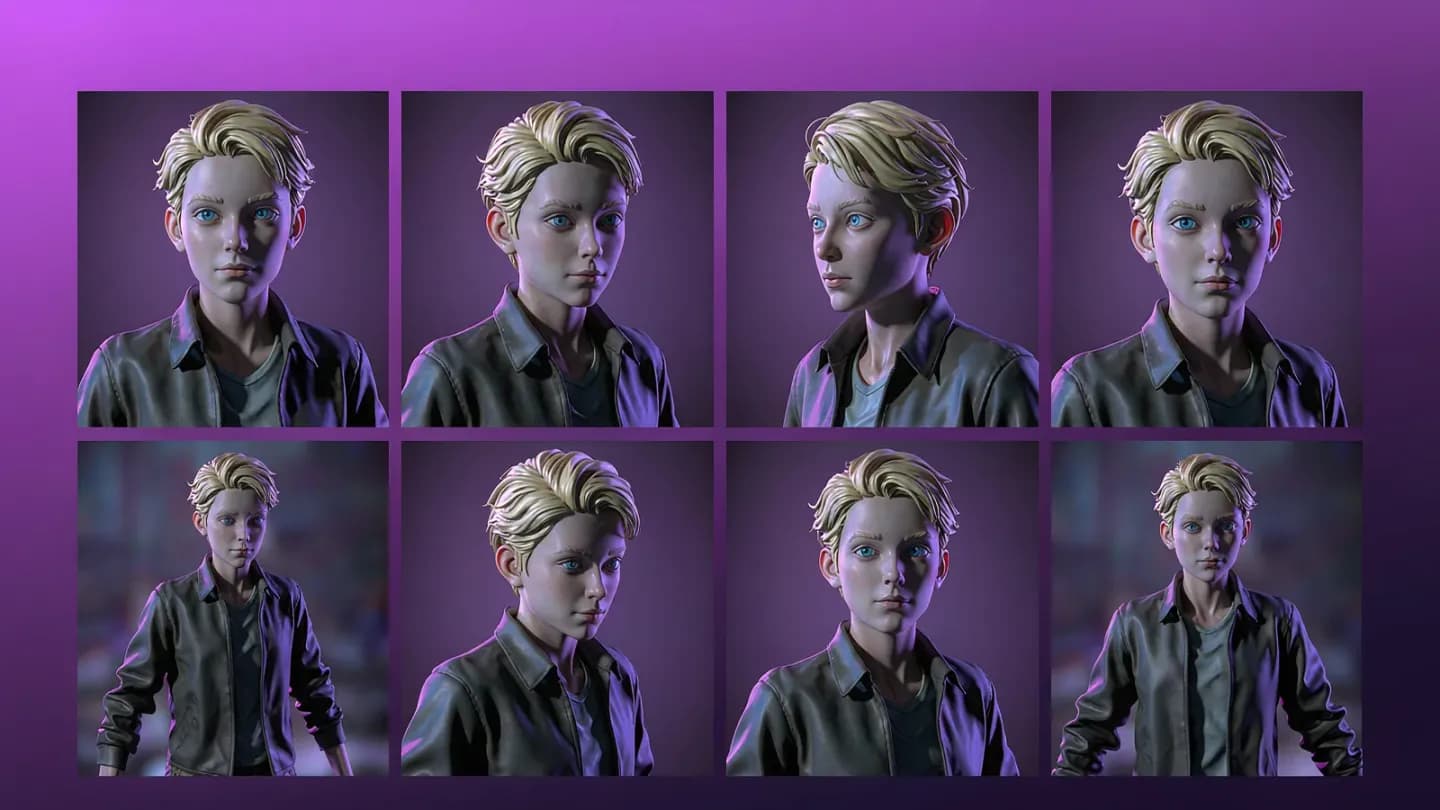
Throughput is only half the problem. The other half is coherence: when you render 25 variants or a multi-clip brand story, the product, character, and lighting must stay identical across every output, or the cut looks like a ransom note of mismatched frames.
Hold character and product fidelity with {{link}} so distributed renders don't drift between cuts. Reference images, locked seeds, and first-last-frame controls are what let a 30-person team match the consistency a traditional shoot gets from a single controlled set.
This is where the bottleneck and the craft meet. Faster models lowered the cost of a single clip, but consistency across a render farm is still a design problem, not a compute problem. The teams winning at scale are the ones who solved both.
Consistency also protects the throughput investment. A batch of 50 renders where 20 drift out of character is not a 50-render batch — it is a 30-render batch with 20 rejects, and those rejects still consumed GPU time. Coherence and queue efficiency are the same metric seen from two angles.
Hold character and product fidelity with reference-driven control so distributed renders don't drift between cuts.
Tie render throughput to cost per usable clip
The metric that should govern the whole system is not render cost per clip — it is cost per usable clip. A pipeline that ships one in three renders is paying triple for the asset that actually goes live, and a variant strategy that produces mostly rejects is quietly burning GPU budget.
The discipline that matters most is tracking your {{link}} rather than the sticker price per render. If the ratio of rendered to published assets is worse than about three to one, the variant strategy needs tightening before more compute is bought.
A real campaign shows the upside. A retailer's AI-video-led upper-funnel push reached 285,150 people at a $1.90 CPM and returned 1.9x ROAS, with AI video driving the most purchases and revenue before retargeting. The creative was 100 percent AI-generated, but the result depended on a render pipeline that could deliver the right variant fast enough to prime the audience.
Treat the render queue as a budget line you can optimize, not a utility you pay without question. Log GPU-hours per published asset, watch the rendered-to-published ratio, and rebalance the variant mix toward the angles that actually ship. That is the difference between generative video that looks cheap on a spreadsheet and generative video that is cheap in production.
The discipline that matters most is tracking your cost per usable clip rather than the sticker price per render.
Put the framework into production
These related pages connect the article’s planning advice to a specific commercial scope.
References
- AI Video Commercial: Use Cases, Formats, and Performance MetricsGMI Cloud
A 15-second 1080p clip takes 30 seconds to several minutes per render; a social campaign spawns 100-300 render jobs (15-50 GPU-hours) and a brand-story short 80-250 jobs (25-80 GPU-hours). A real-time video platform cut p95 latency 65% and compute cost 45% on warm GPU endpoints; a studio reported 8x parallel workflows and 50% lower compute cost.
- Successful Social Media Marketing Campaigns: Case Studies in AIGC IntegrationReelMind
A consumer brand generated 50 unique video concepts in 48 hours and queued 500 variations of a winning ad simultaneously; its most localized versions drove a 55% higher comment rate than generic global ads, and it posted 8-10 variations per hour during a peak trend window.
- How We Used AI Video Models to Cut Costs & Boost Users - House Case StudyAdcore
A retailer's AI-video-led upper-funnel campaign reached 285,150 people at a $1.90 CPM and delivered 1.9x ROAS, with AI video driving the most purchases and revenue; the final creative was 100% AI-generated.